Wireless & Branch Networking
Nov 16, 2026
6 min read
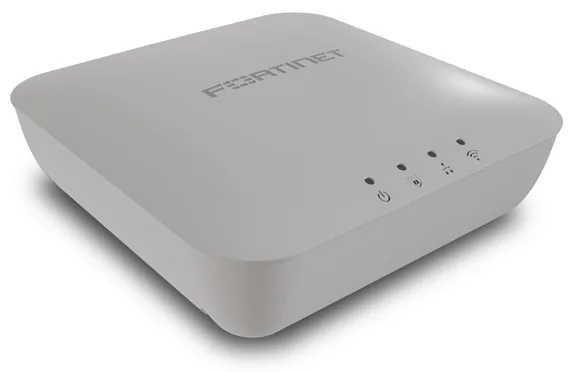
Many Saudi organisations already run a FortiGate at every branch for SD-WAN and security, yet the Wi-Fi in those same branches is often a mix of consumer routers, unmanaged access points and whatever the fit-out contractor installed. The result is familiar to most IT managers: guest devices on the same network as point-of-sale terminals, no central view of who is connected, and a site visit every time something stops working. FortiAP access points are designed to close that gap by letting the FortiGate you already own manage wireless as well. This guide explains how to choose the right FortiAP models, what to pair them with, and what to check before you request a quotation.
Why FortiAP Fits a FortiGate Branch
FortiOS, the operating system on FortiGate firewalls, includes an integrated wireless controller. FortiAP units connected to the branch network are discovered and managed from the same interface used for firewall policies, SD-WAN rules and VPNs. Wireless traffic can be placed into its own interfaces and subject to the same security policies as wired traffic, so a guest SSID can be restricted to internet access while a staff SSID reaches internal applications through the SD-WAN overlay. For a branch team without on-site IT staff, this single point of management is the main reason to standardise on FortiAP rather than buying a separate wireless system.
Management Options: FortiGate Controller or Cloud
There are two common ways to manage FortiAP. The first is through the FortiGate at the site or at the head office, which suits organisations that already manage their firewalls centrally, for example through FortiManager. The second is Fortinet's cloud management service, which can suit very small sites or organisations without a FortiGate at each location. When deciding, check how many access points your FortiGate model can manage according to its datasheet, and for cloud management confirm where management data is hosted and whether that fits your internal data classification policy. Most multi-branch customers we speak with prefer FortiGate-based management because it keeps wireless, firewall and SD-WAN under one policy set.
Reading the FortiAP Model Names
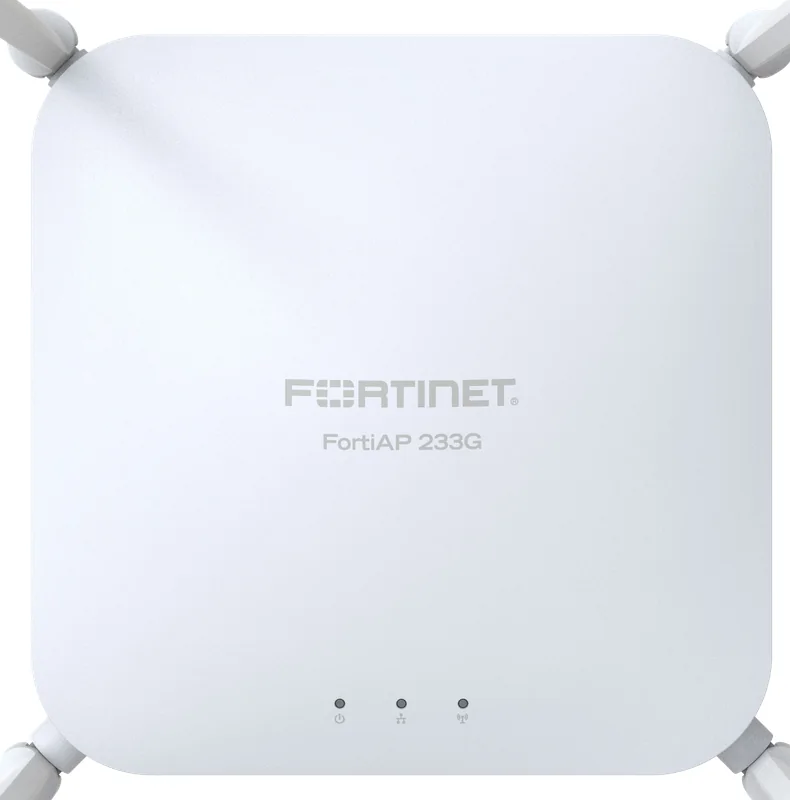
The letter at the end of a FortiAP model number indicates the hardware generation and is the quickest way to sort the range. E-series models such as the FortiAP 221E (FAP-221E-E) are Wi-Fi 5 units and are mainly relevant when extending an existing installation. F-series models such as the FortiAP 231F (FAP-231F-E) and FortiAP 431F (FAP-431F-E) are Wi-Fi 6. G-series models such as the FortiAP 231G (FAP-231G-E), FortiAP 234G (FAP-234G-E) and FortiAP 432G (FAP-432G-E) add the 6 GHz band of Wi-Fi 6E. K-series models such as the FortiAP 221K (FAP-221K-E), 231K (FAP-231K-E), 241K (FAP-241K-E), 243K (FAP-243K-E), 244K (FAP-244K-E), 441K (FAP-441K-E) and 443K (FAP-443K-E) are Wi-Fi 7. Within a generation, the 400-series models are the higher-capacity indoor units intended for denser areas, while the 200-series models cover mainstream offices and shops. Always confirm radio, antenna and power details against the current datasheet for the exact model.
Matching Models to Branch Types
For a retail shop, showroom or small bank branch where Wi-Fi mainly serves handheld scanners, tablets, staff laptops and a guest network, a 200-series Wi-Fi 6 unit such as the FortiAP 231F is a common, well-understood choice. The FortiAP 23JF (FAP-23JF-E) is a compact model worth considering for rooms or small offices where a discreet unit is preferred; confirm the mounting format against the datasheet before ordering. If your client devices are being refreshed with Wi-Fi 6E or Wi-Fi 7 laptops, the G-series and K-series 200 models give the same deployment approach with access to newer bands.
For head offices, training rooms, open-plan floors and meeting areas where many users connect at once, the 400-series models such as the FortiAP 431F, FortiAP 432G, FortiAP 441K and FortiAP 443K are the more appropriate starting point. The FortiAP 831F (FAP-831F-E) sits above these for high-density spaces. Rather than choosing by headline speed, choose by how many concurrent users each area must support and how many years you expect the access points to stay in service. A site survey, or at least a floor-plan review, should decide the count and placement, not a rule of thumb.
Powering and Switching the Access Points
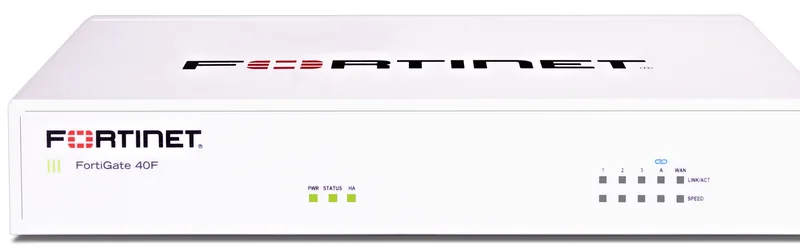
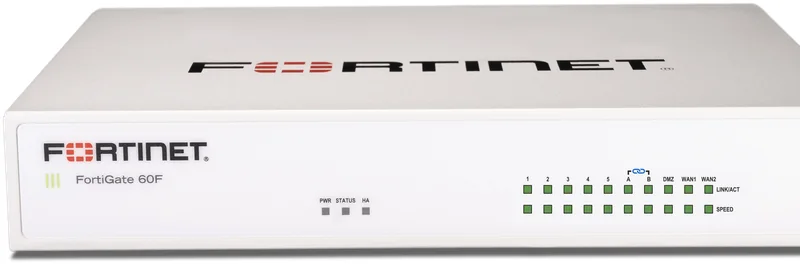
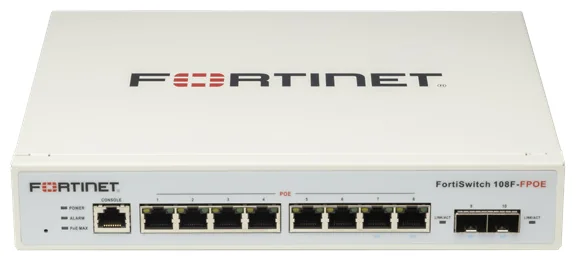
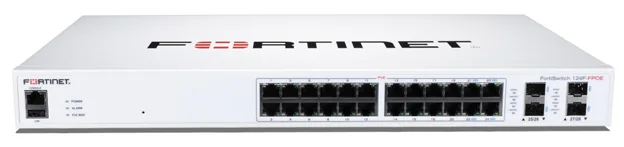
Every FortiAP needs Power over Ethernet, and newer multi-radio models can require more power than older switches provide for full functionality. Check the power requirement in the datasheet against the PoE budget of the switch. FortiSwitch models can be managed from the FortiGate through FortiLink, which keeps switching in the same interface as wireless and security. For small branches, the FortiSwitch 108F-FPOE (FS-108F-FPOE) or FortiSwitch 110G-FPOE (FS-110G-FPOE) are typical companions; mid-size sites often use the FortiSwitch 124F-FPOE (FS-124F-FPOE) or FortiSwitch 148F-FPOE (FS-148F-FPOE); larger sites may justify the FortiSwitch 424E-FPOE (FS-424E-FPOE) or FortiSwitch 448E-FPOE (FS-448E-FPOE). At the gateway, branch customers commonly pair these with the FortiGate 40F (FG-40F), FortiGate 60F (FG-60F), FortiGate 70G (FG-70G) or FortiGate 90G (FG-90G), each also available in UTP bundles. For a very small site, the FortiWiFi 40F (FWF-40F-E-BDL-950-12) combines firewall and built-in wireless in one unit.
Security and NCA Essential Cybersecurity Controls
For organisations subject to the National Cybersecurity Authority's Essential Cybersecurity Controls, branch Wi-Fi is part of the network security scope, not an exception to it. A FortiGate-managed design helps with several practical requirements: separating guest, staff, payment and IoT devices into distinct SSIDs and network segments; using enterprise authentication against your directory instead of a shared password; logging wireless connections alongside firewall events; and controlling administrative access. Multi-factor authentication for administrators and remote users can be added with FortiToken Mobile licences, available from the 5-user pack (FTM-ELIC-5) upwards. The equipment supports these controls, but compliance depends on how policies are configured, documented and reviewed, so include that work in your project scope.
Saudi Deployment Considerations
Branches in shopping malls and mixed-use towers often face crowded radio environments, which makes proper channel planning and the use of 5 GHz and 6 GHz bands more important than adding access points. Bank and financial branches typically need strict segmentation between customer-facing services and internal systems. Warehouses and showrooms with high ceilings need placement planned around shelving and stock. For organisations rolling out across Riyadh, Jeddah, Dammam and other cities, standardising on a small number of FortiAP and FortiSwitch models simplifies spares, configuration templates and support. Also plan the renewal of FortiCare and UTP subscriptions on the FortiGates, since the wireless controller lives on those devices.
A Practical Selection Checklist
Before requesting pricing, gather the following: the number of branches and the floor area of each; expected concurrent users and device types; whether each site already has a FortiGate and which model; the existing switch models and their PoE budget; any plans to refresh laptops or handhelds to Wi-Fi 6E or Wi-Fi 7; the SSIDs and segments you need; and whether you want installation and configuration included. With this information, a supplier can propose access point counts, the right switches and a consistent configuration for every branch.
Getting a Quotation from Shabackat
Shabackat supplies genuine, new Fortinet FortiAP, FortiSwitch and FortiGate products with the manufacturer's warranty to businesses and government organisations across Saudi Arabia, with delivery to Riyadh, Jeddah, Dammam and other cities. Installation, configuration and support services are available if you want the wireless network deployed and integrated with your existing FortiGate policies. Pricing is by quotation, and quotes for stocked items are provided the same day. Send your branch list and requirements through the quote form on shabackat.sa or contact us on WhatsApp or phone at +966 55 826 9606.