Networking & Data Center
Nov 25, 2026
6 min read
When an organisation in Riyadh runs a primary server room and a secondary site, whether a disaster recovery room in another building, a colocation cage or a second data hall across the city, the link between them quickly becomes the most important cable it owns. Replication, backup, virtual machine mobility and shared storage all depend on it. Yet many data center interconnect projects stall on small details: the wrong optic for the fibre that was actually delivered, a switch with no free high-speed uplink, or an unencrypted path that fails an internal audit. This guide walks through the decisions in the order we see them matter.
What data center interconnect covers
Data center interconnect (DCI) is any link that joins two or more sites hosting servers and storage so they can operate as one environment. In Saudi Arabia it usually takes one of three forms: fibre inside a campus or between neighbouring buildings that the organisation controls; dark fibre or a wavelength service leased from a licensed carrier between sites in the same city; or a carrier Ethernet, MPLS or IP VPN service between cities, for example Riyadh to Jeddah or Dammam. The first two put the optics and switching in your hands. The third hands the transport to the carrier, and your equipment choice shifts toward the routers and firewalls at each edge.
Start with the fibre, not the part number
Before choosing any transceiver, get three facts in writing from whoever provides the fibre: whether it is multimode or single-mode, the distance and measured loss between the two patch panels, and the connector type. Multimode fibre is common inside buildings and on short campus runs; single-mode is what carriers and longer building-to-building runs use. An optic chosen for the wrong fibre type will not link at all, and one chosen only by nominal distance may fail when the real path includes extra patch panels and splices. If the carrier provides a wavelength or Ethernet handoff instead of raw fibre, ask which optic standard their equipment presents so both ends match.
Matching optics to speed and distance
For Cisco switches, the catalogue covers the common cases. Inside a rack or between adjacent racks, the SFP-10G-CU3M direct-attach copper cable is the simplest 10G connection. For 10G over multimode fibre within a building, the SFP-10G-SR is the standard short-reach choice, while the SFP-10G-LR follows the 10GBASE-LR standard over single-mode fibre for building-to-building links. At 1G, the GLC-SX-MMD (multimode) and GLC-LH-SMD (single-mode) serve management networks and older links. Where more bandwidth is needed, the SFP-25G-SR-S provides 25G over multimode, the QSFP-40/100-SRBD carries 40G or 100G over existing duplex multimode cabling, and the QSFP-40G-LR4-S provides 40G over single-mode. The X2-10GB-ZR is relevant only to older chassis that still use X2 slots, typically when maintaining an existing long-reach link rather than designing a new one.
In a Fortinet environment, FortiGate firewalls and FortiSwitch units use Fortinet optics. The FN-TRAN-SFP+SR and FN-TRAN-SFP+LR cover 10G over multimode and single-mode respectively, and the FN-TRAN-SFP+ER is the extended-reach 10G single-mode option for longer runs. At 1G, the FN-TRAN-SX and FN-TRAN-LX cover multimode and single-mode, while the FN-TRAN-GC and FN-TRAN-SFP+GC provide copper RJ45 connections at 1G and 10G. Because these follow the same Ethernet standards, a Cisco switch at one site and a FortiGate at the other can share a link, provided both optics match the same standard, wavelength and fibre type.
Switch uplinks that can carry the interconnect
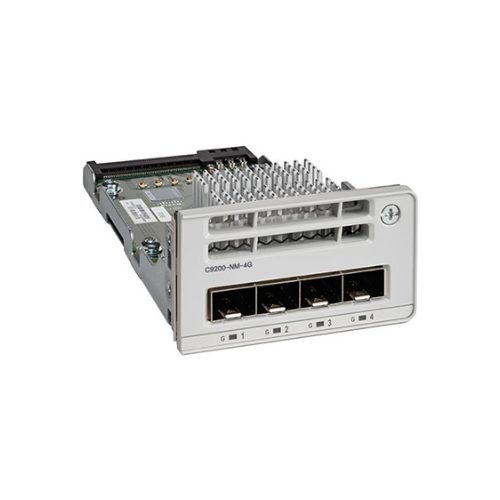
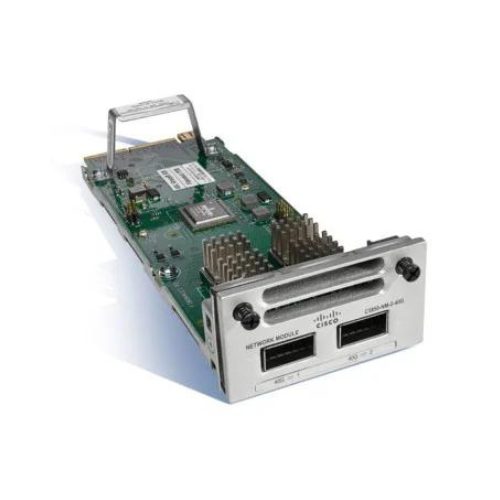
An optic is useless without a free port of the right type. On the Cisco Catalyst 9300, the uplink is a replaceable network module: the C9300-NM-8X provides eight 10G SFP+ ports, the C9300-NM-2Y provides two 25G ports, and the C9300-NM-2Q provides two 40G QSFP ports. Choosing the module at the same time as the optics avoids discovering after delivery that a 40G optic has nowhere to go. On the Catalyst 9200, the C9200-NM-4G gives four 1G SFP uplinks, which suits a small secondary site or a management path rather than a primary replication link. On the Fortinet side, the FortiSwitch 1048E (FS-1048E) is the data-centre class model in the catalogue, while PoE models such as the FS-424E-FPOE and FS-448E-FPOE are designed for access layers and belong at the user edge rather than at the core of a DCI design.
Protecting traffic between sites
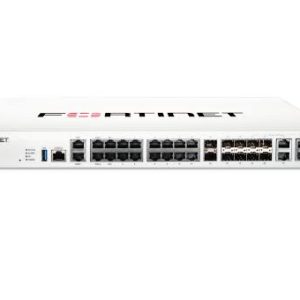
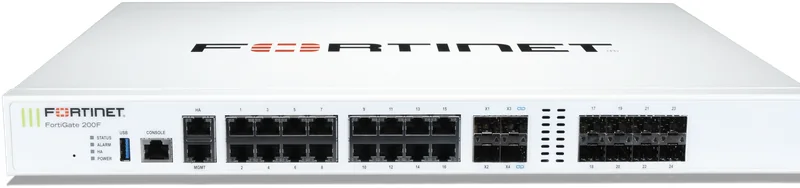
Traffic between data centres is often the most sensitive traffic an organisation carries: database replication, backups and directory synchronisation. When it crosses a carrier network or leased fibre outside your premises, plan for encryption and inspection rather than assuming the path is private. A common design places a FortiGate at each site and builds IPsec tunnels between them, with firewall policies that allow only the replication and management flows that are actually needed. Encryption throughput, not interface speed, is usually the limit, so size the firewall on the encrypted traffic you expect: larger models such as the FortiGate 200F (FG-200F-BDL-950-12) suit a busier data centre edge, while models such as the FortiGate 100F (FG-100F-BDL-950-12) can fit a modest DR room. Confirm the figures against the current Fortinet datasheet before ordering. Segmentation matters as much as encryption: keep storage replication, server management and user traffic in separate VLANs or VRFs so that a problem in one does not spread to the other site.
Saudi considerations: NCA ECC, hosting and carriers
For government entities and organisations in regulated sectors, the National Cybersecurity Authority's Essential Cybersecurity Controls (ECC) shape the design. The controls address network security management, cryptography, backup and recovery, and cybersecurity resilience within business continuity. In practice that means documenting the DCI as part of the network architecture, encrypting links that leave controlled premises using approved cryptographic standards, logging and monitoring the interconnect, and testing failover between sites. Where a secondary site is hosted with a third party or cloud provider, check the data hosting requirements that apply to your sector, since some data classifications must remain inside the Kingdom. Carrier lead times for fibre and wavelength services between cities also vary, so order transport early and align equipment delivery with it.
Redundancy, spares and support
A single link is a single point of failure. Where budget allows, use two physically diverse paths, ideally from different carriers or through different ducts, and terminate them on separate switches or firewall pairs. Specify redundant power supplies on core switches; for the Catalyst 9300, the PWR-C1-350WAC and PWR-C1-1100WAC are the AC options in the catalogue, chosen according to the PoE load. Keep at least one spare of each optic type on site, because a failed transceiver is one of the most common faults and one of the quickest to fix when the part is already on the shelf. Finally, register every device and support contract so that manufacturer warranty and FortiCare entitlements are active when you need them.
Getting a quotation from Shabackat
Shabackat supplies genuine, new Cisco, Fortinet, Aruba, Huawei and other manufacturer equipment with the manufacturer's warranty, and offers installation, configuration and support services. To quote a data center interconnect accurately, send us the fibre type and distance between sites, the switch or firewall models at each end, the target link speed, and whether the path is owned fibre, leased fibre or a carrier service. We will return a matched list of optics, uplink modules, firewalls and power supplies. Quotes for stocked items are issued the same day, and we deliver across the Kingdom, including Riyadh, Jeddah and Dammam. Contact us on WhatsApp or phone at +966 55 826 9606, or use the quote form on shabackat.sa.